
Never miss
a dose.
Start simple with just your doses and reminders — or go full operator with cycles, stats, vial stock and a built-in terminal. The most complete peptide tracker on either store.
Essential or Advanced. Your call.
Same data underneath — you choose how much lands on screen. Switch anytime in Settings.
Just the doses
- Today's doses, front and center
- Exact insulin-syringe units to draw
- Daily summary reminder
- Clean Classic theme, light or dark
For anyone who just wants to not miss a dose.
The full operator
- Cycles, rest periods and projections
- Vial stock and injection site rotation
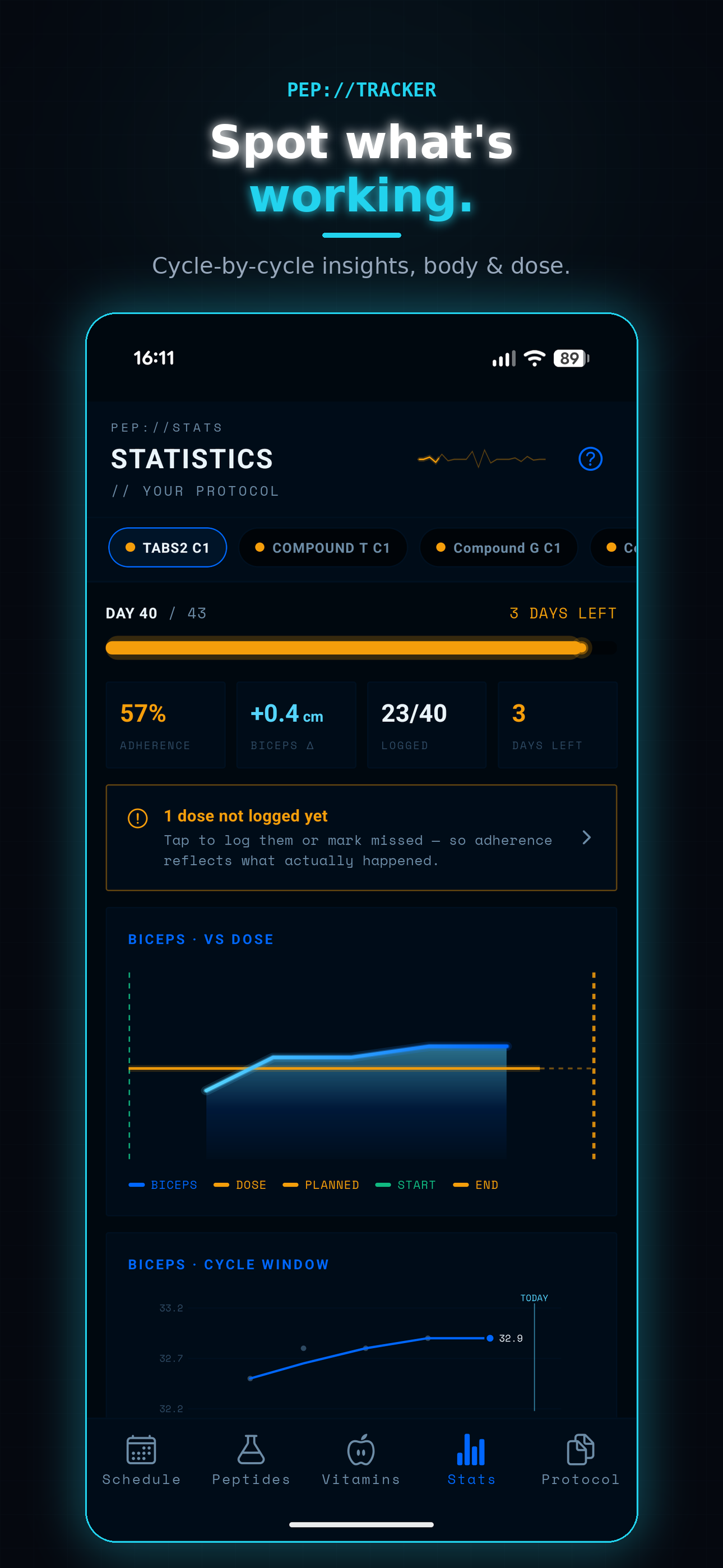
- Statistics across protocol and body
- Protocol OS terminal + Cyber themes
For the ones who want every number.
Your protocol, meet your body.
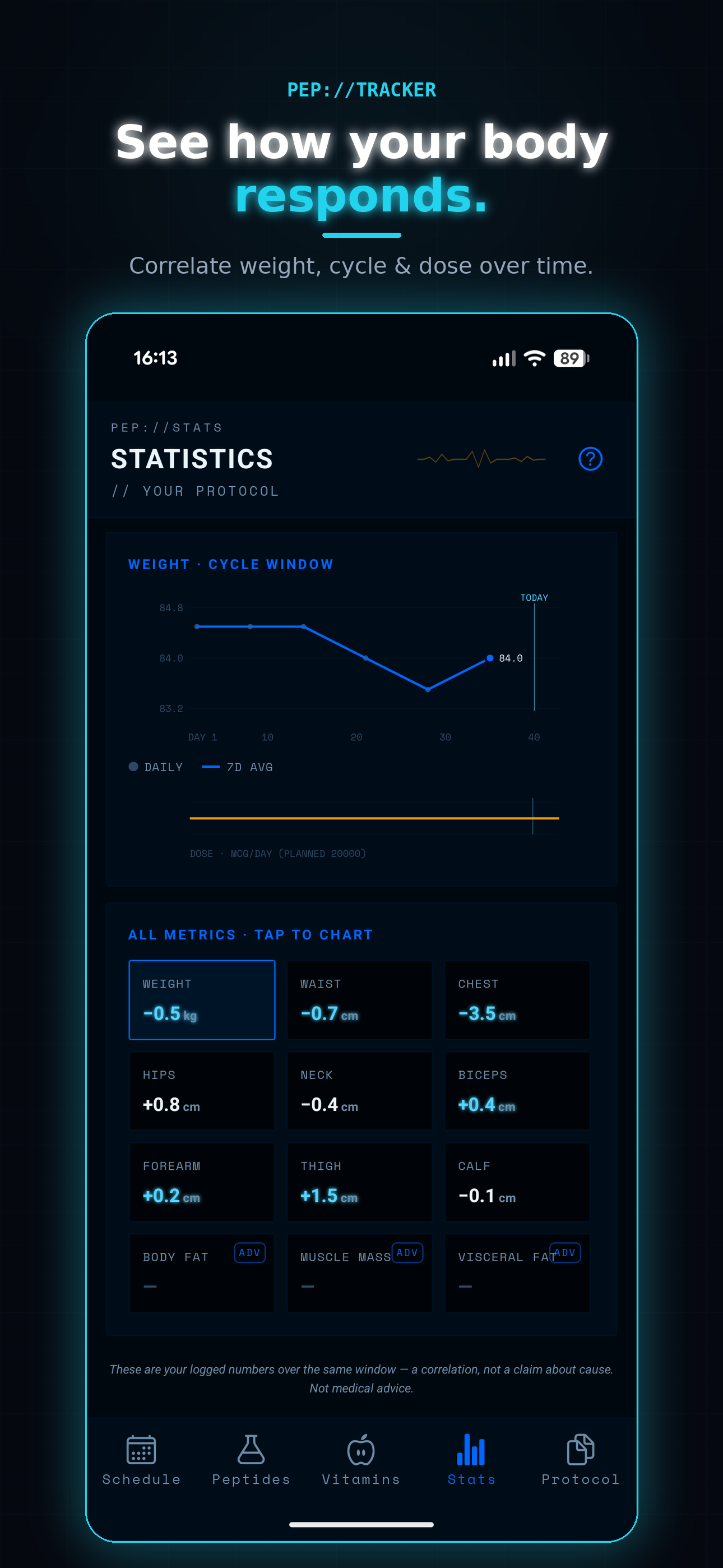
Connect your Body Metrics account and Stats gains a whole new dimension. No other peptide tracker does this.
- Dose ↔ Body — your weight plotted against cycle start/end and blood draws
- Weight per cycle — what each cycle actually did, with days left on the active one
- Labs — your latest blood panel, flagged against reference ranges
Body Metrics included with Pep Tracker Pro — the Studio License.
Blends that do the math for you.
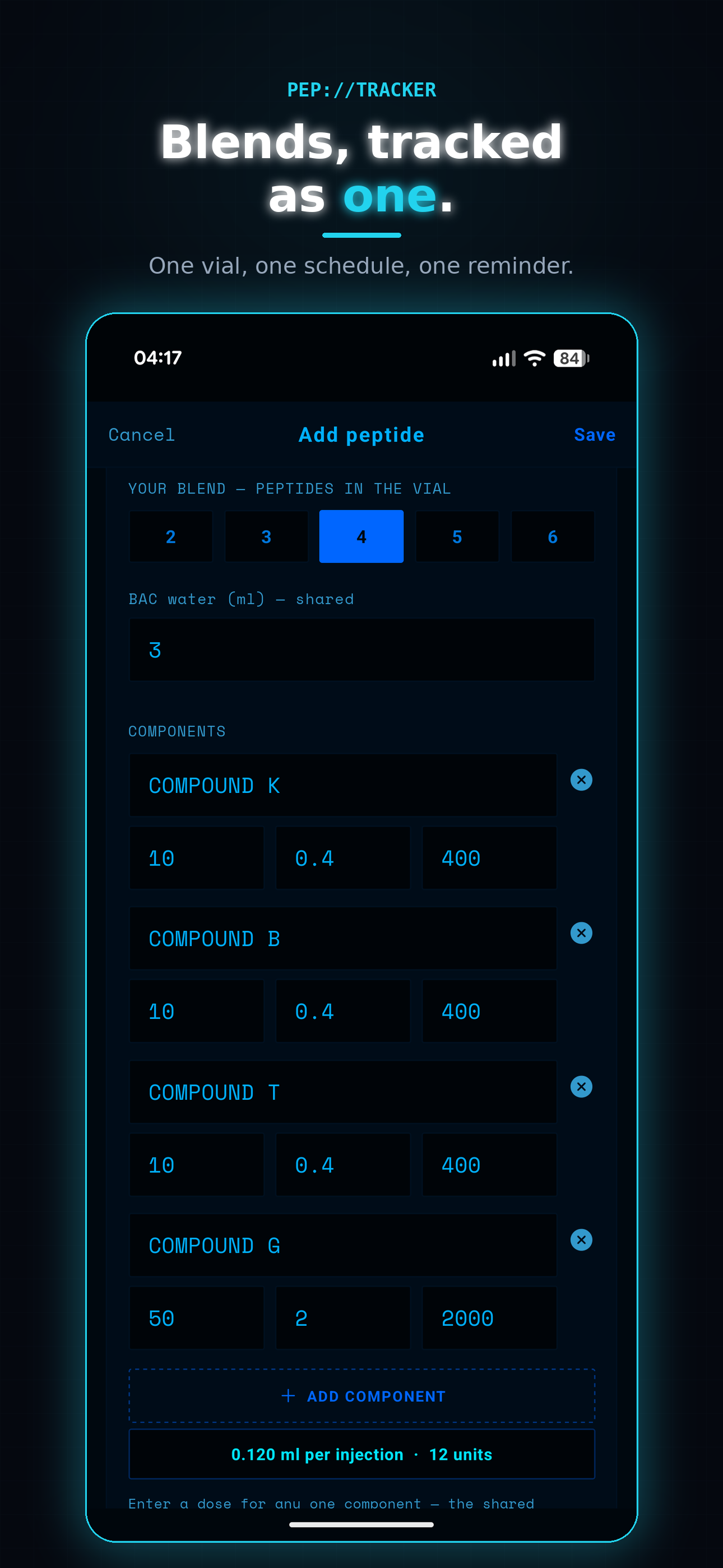
Several peptides in one vial, tracked as a single entry. Enter each component's mg and the shared BAC water — then type a dose for any one component.
- Every other component's dose fills in automatically
- Injection volume calculated across the whole blend
- One schedule, one reminder, one injection
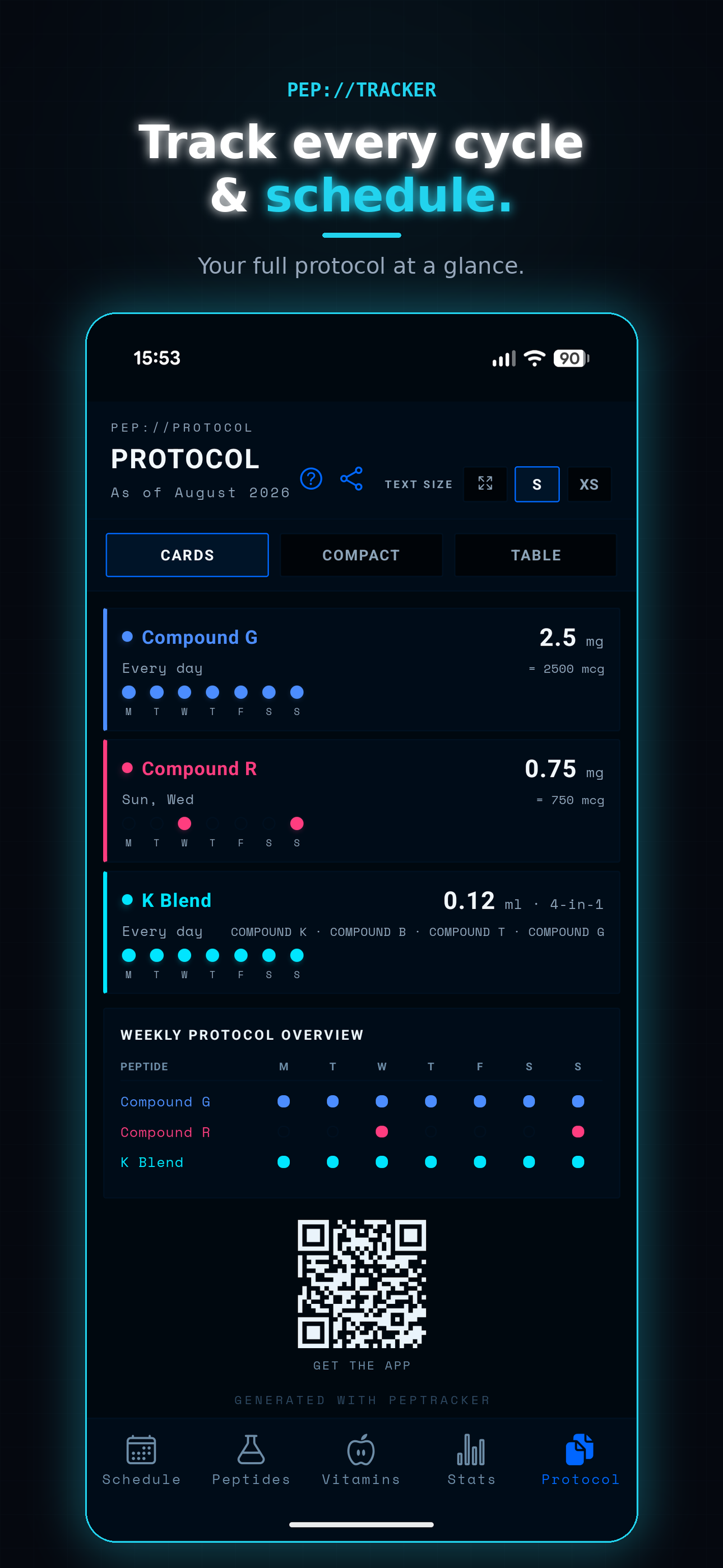
- Cards show exactly what each shot delivers, per component
One purchase, two apps — the Studio License
Buy Pep Tracker Pro and Body Metrics is included automatically — no extra purchase, no promo code. Connect your Body Metrics account once under BodyMetrics integration in Pep Tracker, and your protocol and your body data live side by side. That's the Studio License: one payment, the full picture.
And there's a lot more
- 01
Essential & Advanced modes
Essential shows just your daily doses, units to draw, and reminders. Advanced unlocks cycles, stats, vial stock, site rotation, and Protocol OS. Same data, switch anytime.
- 02
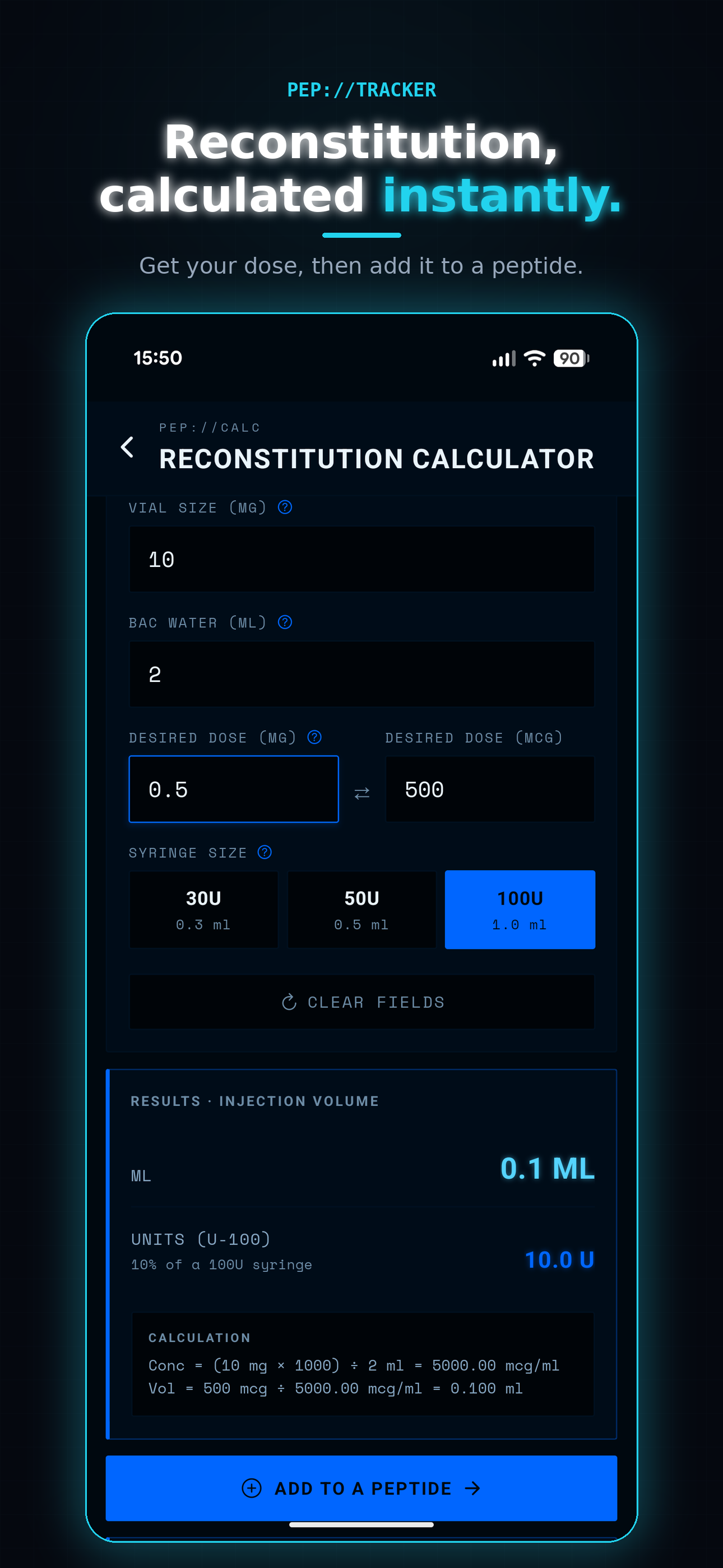
Reconstitution calculator
Enter vial size and BAC water, type your dose in mg or mcg — instantly see injection volume, syringe units, and doses per vial. Work out how many vials a whole cycle needs.
- 03
Peptide blends
Several peptides in one vial, tracked as one entry. Type a dose for any component and every other dose plus injection volume fills in automatically.
- 04
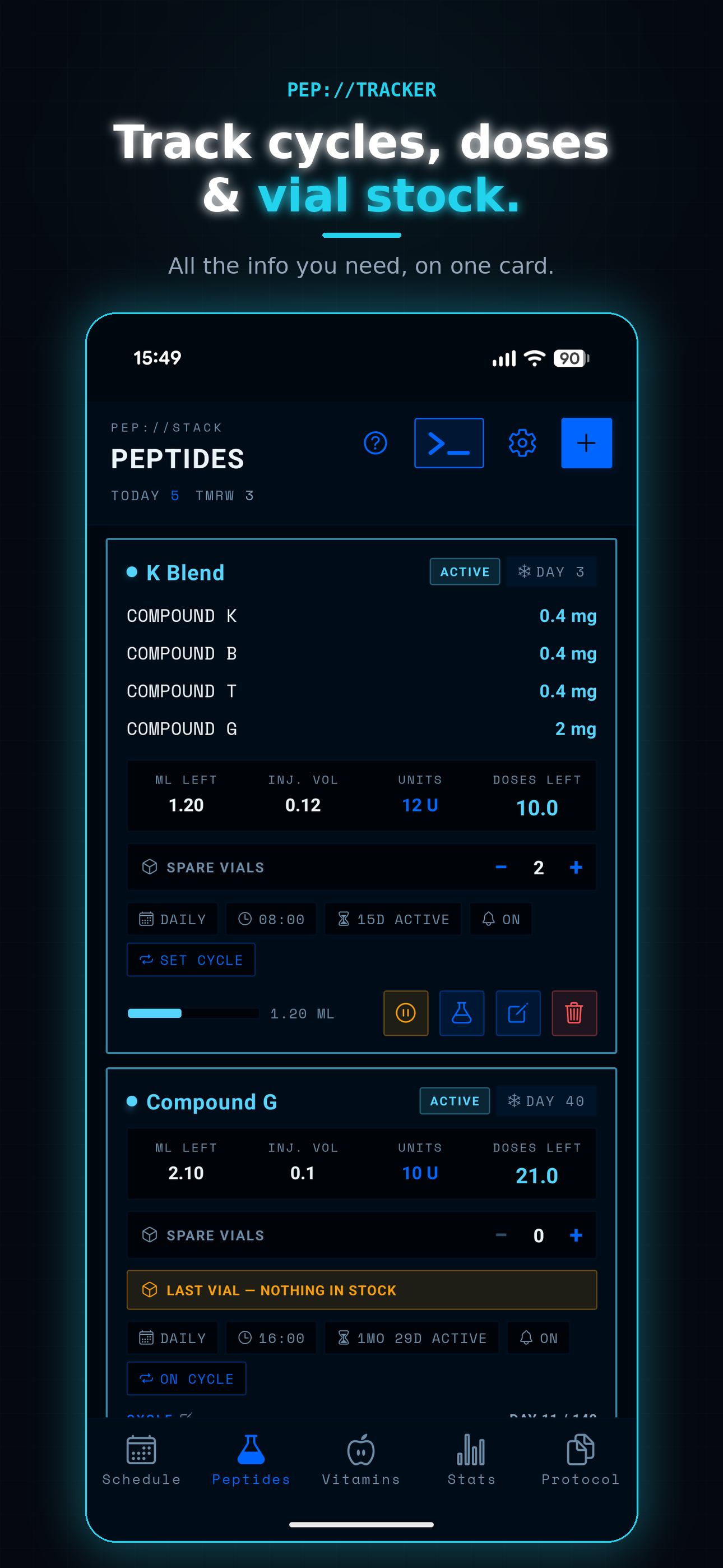
Vial & stock tracking
Vial level bars shift color as they run low. Auto-decrement when you log a dose. Track spare vials and get warned when you are on your last one.
- 05
Injection site log
A body map shows how recently each area has been used. Choose which areas apply per entry. Rotation reminders based on what you have actually logged.
- 06
Daily summary & reminders
One daily summary notification lists that day's doses in a single message — no spam, no ten separate pings. Cycle reminders let you know when a cycle or rest period ends. Private mode hides names and doses from your lock screen.
- 07
Cycle tracking
Set cycle length and rest periods per entry. Progress and day count right on the card. Get notified when a cycle or rest period ends.
- 08
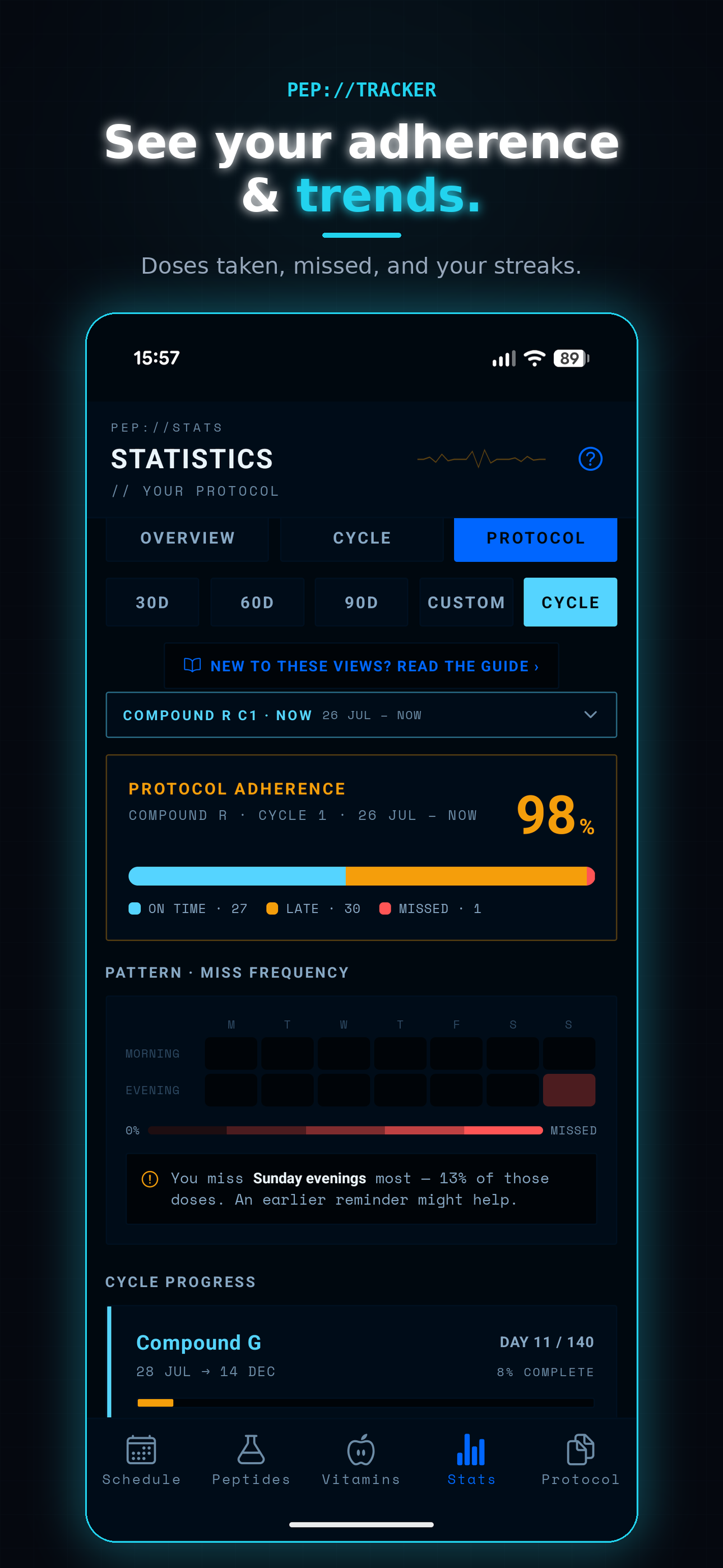
Statistics, three ways
PROTOCOL, BODY, and INSIGHTS views. Adherence, streaks, dose trends, per-peptide breakdown — over a week, month, year, or custom range.
- 09
Protocol OS terminal
A hidden terminal for power users. Type commands like /stats, /next, /chart, /stock to query your protocol. It keeps a couple of secrets, too.
Want the detail on Statistics? Read the guide →
Four kinds of entry. Right math for each.
- 01
Peptides
Reconstitute yourself — set vial size and BAC water, the app handles the rest.
- 02
Blends
Several peptides in one vial, tracked as one entry with auto-filled doses.
- 03
Pre-mixed
Vials that arrive ready in solution — no reconstitution step.
- 04
Tablets
Strength per tablet and pack count — tracked with the right unit math.
Eight screens, one goal
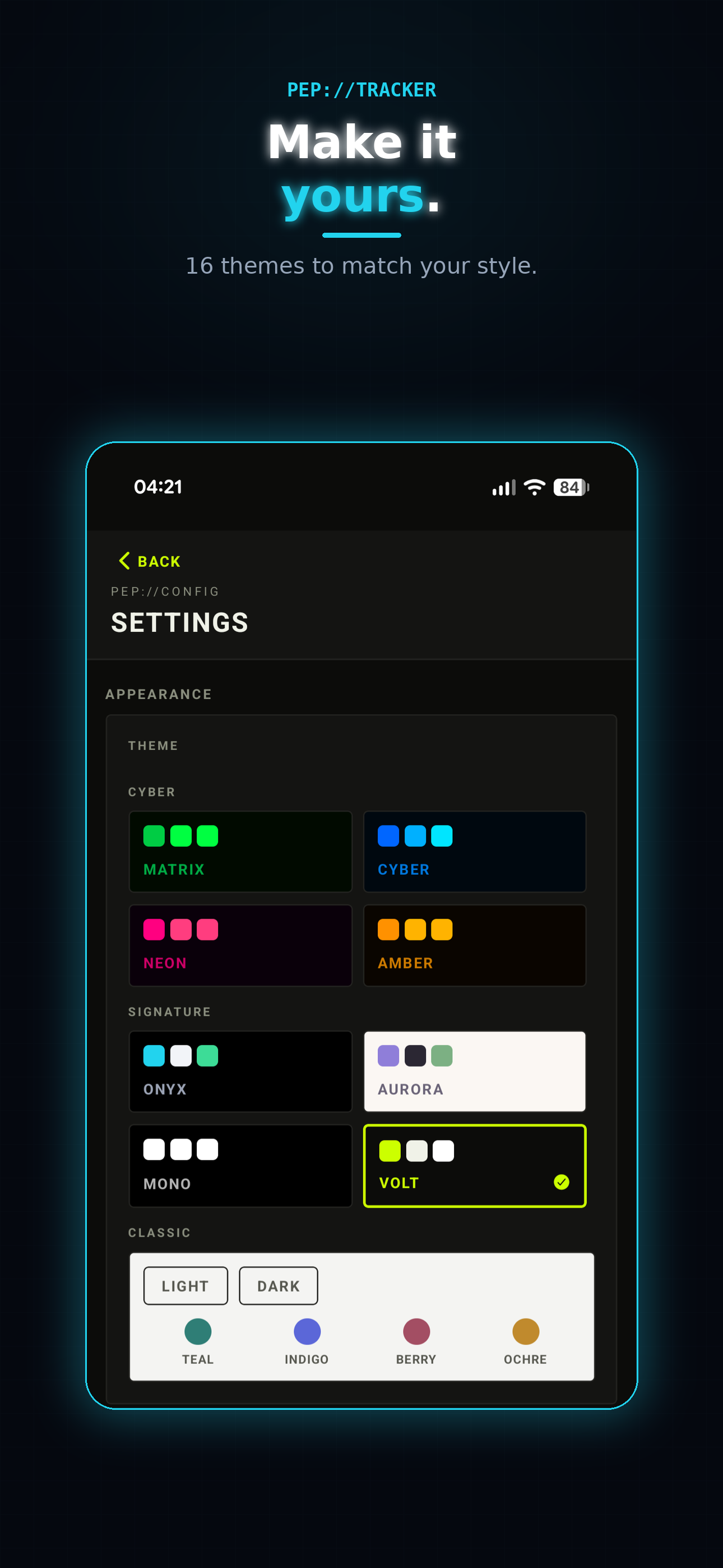
Two theme families — Classic (light or dark, four accent colors) and Cyber (Matrix, Cyber, Neon, Amber). Advanced mode shown here in Cyber.
Common questions
Is Pep Tracker medical advice?
No. Pep Tracker is a personal tracking and reminder tool. It does not recommend, prescribe, or evaluate any substance, dose, or protocol. Talk to a qualified medical professional before starting or changing anything you put in your body.
What is the difference between Essential and Advanced mode?
Essential keeps it minimal — daily doses, the exact units to draw, and reminders. Advanced is the full operator experience: cycles, statistics, vial stock, injection site rotation, and the Protocol OS terminal. Same data underneath; switch anytime in Settings.
What can I track?
Four entry types: peptides you reconstitute yourself, blends (several peptides in one vial), pre-mixed vials, and tablets. Plus an optional vitamins & minerals check-off. Every protocol is user-defined — the app does not ship with a preset library of substances.
What is the BodyMetrics integration?
Connect your Body Metrics account and Stats gains a body dimension — your weight plotted against cycle start/end and blood draws, what each cycle actually did, and your latest labs flagged against reference ranges. Body Metrics is included free when you buy Pep Tracker Pro (the Studio License).
Do I need an account?
Yes. Pep Tracker requires an account with email and password. Your data syncs securely across your devices and is protected by your login.
iOS or Android?
Both. Same feature set on both platforms.
How much does it cost?
Free to try. Pro unlocks unlimited items and advanced views — available as a monthly subscription or a one-time lifetime purchase. Pro also includes Body Metrics free (the Studio License). No ads.
Pep Tracker is a personal tracking and reminder tool. It is not medical advice and does not diagnose, treat, or recommend any substance or protocol. Consult a licensed medical professional before starting or changing anything you put in your body.